
Route oneOn your board
Google for Jobs
Google reads the job page and its JobPosting data, then shows the job in its jobs panel. Eligibility comes from that data. Source
Job BoardJob visibility
Nearly half of agency job pages can’t appear in Google’s job results. We tested 1,195 in October 2026 for The Staffing Career Site Report 2027, and 45% were missing the JobPosting data Google needs to list a job. Here is what decides whether Google and AI assistants find yours, and a five-minute check.
Last checked against Google’s and OpenAI’s documentation on 9 November 2026.
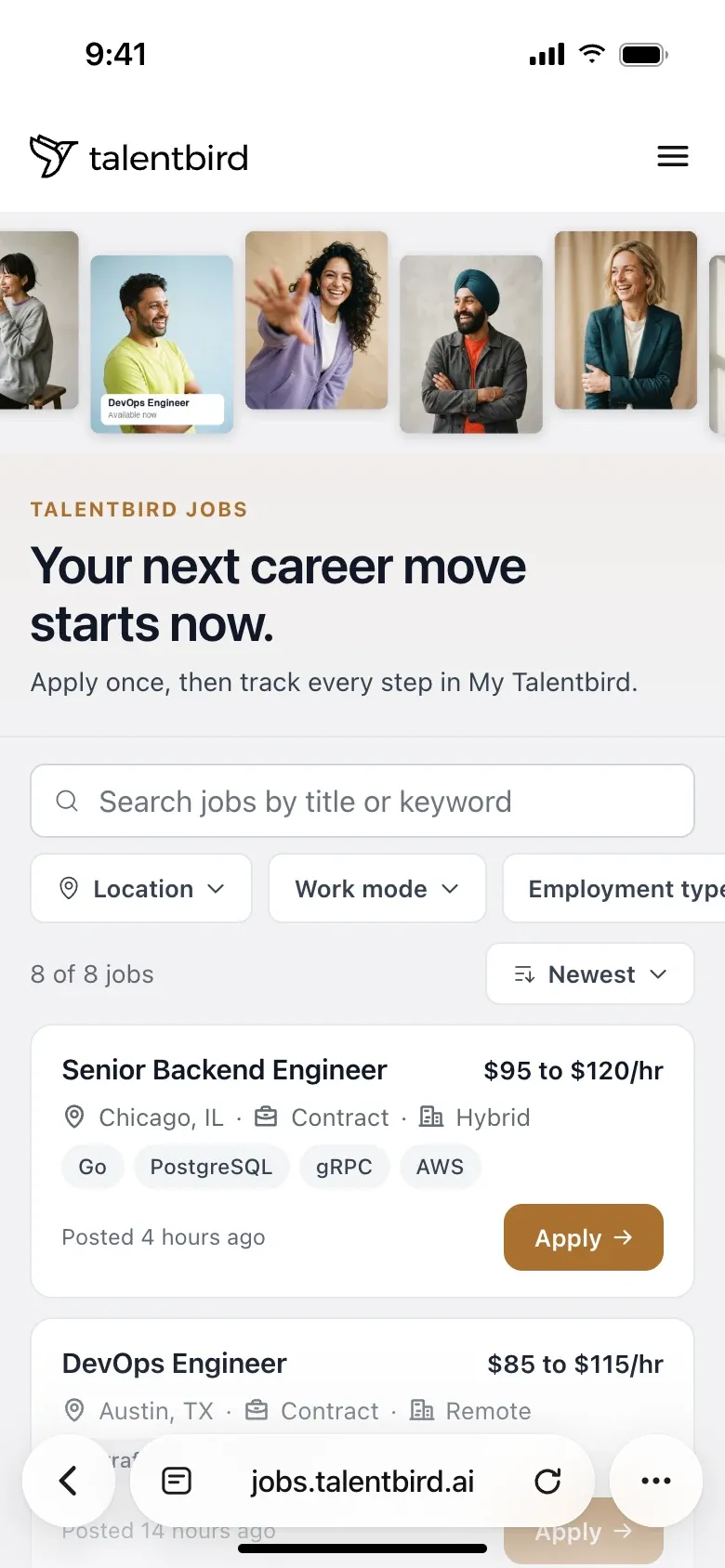
A candidate asks for a contract backend role in Chicago. The answer lists a Talentbird demo job with a link to the board.
Getting your website and your jobs found on Google.
Getting your jobs found and read by ChatGPT, Claude, Perplexity and Gemini.
Getting those assistants to answer a candidate's questions about pay, shifts, overtime and training in your words.
For a job board the three overlap almost completely: what an assistant needs from a job page is what Google for Jobs has required for years.
An assistant gives a candidate a short answer. If they have shared their CV, it knows their work history and where they live, so it searches for something narrow: this role, this city, this contract type, these hours.
If your page states those facts in plain words, your job can be in the answer. If the page cannot be read, the job is left out, however good it is. A candidate who arrives this way was matched to the job before they applied.
A candidate, to an assistant that holds their CV
What decides whether a crawler can read a job does not show in a browser. Agency boards lose jobs in three ways.
Some boards send an empty page and add the jobs with a script a moment later. People see the jobs. In the tests published so far, the crawlers behind ChatGPT, Claude and Perplexity did not run scripts, so they got the empty page. Source
What a person sees.
What a crawler that does not run scripts receives.
An iframe is a window on your careers page that shows a page from another site. With an iframe or a vendor widget, the jobs live on the vendor's site, your page holds an empty box, and anything found credits the vendor's domain.
A role you filled last month that still accepts applications wastes a candidate's afternoon. Google does not allow expired job postings and may act on them. Source
Your ATS.
The public job page, the same day.
of 1,195 agency job pages had no JobPosting data, so Google cannot list them in its job search.
of the 1,094 job pages we could check carry the job in the page as it arrives, before any script runs, so crawlers that do not run scripts can still read them.
of 1,585 job boards block AI search crawlers in robots.txt. A blocked search crawler cannot read the board, so that assistant cannot quote it. 6% block GPTBot, OpenAI's training crawler.
of 2,322 staffing firms show no job list on their own website, so Google and assistants find no jobs there.
Candidately research, October 2026. From The Staffing Career Site Report 2027, pages 4, 6, 46 and 50.
Two routes run through your own board and one through your job feed.
Google reads the job page and its JobPosting data, then shows the job in its jobs panel. Eligibility comes from that data. Source
Own the payments and ledger services behind a marketplace. Go and PostgreSQL. Hybrid, two days a week in the Loop.
What OAI-SearchBot receives from this page.
ChatGPT, Claude and Perplexity send their own crawlers. They have to be allowed in, and the job has to be in the page as it arrives. Source
If you multipost, sending each job to Indeed and other job sites, an assistant can find it on a job aggregator, and the link goes to the aggregator's page.
Screens show the Talentbird demo agency. Nobody outside OpenAI can say what share of answers comes from each route.
The same five questions decide Google’s jobs panel and an assistant’s answer. Each one has an owner.
OwnerYour web developer, or whoever runs your firewall
Check. Read yoursite.com/robots.txt. Then ask whoever runs the firewall which bots are blocked.
Crawlers get in only if two gates let them: your robots.txt file and your firewall. robots.txt is a short text file at the root of your site that tells crawlers what they may read; the firewall, often Cloudflare, decides which visitors get through.
Search crawlers (Googlebot, OAI-SearchBot, Claude-SearchBot, PerplexityBot) are separate from training crawlers (GPTBot, ClaudeBot). Blocking training crawlers keeps your pages out of those companies' training. Blocking search crawlers keeps you out of the answer. Cloudflare sets search, agent and training bots separately, each to allow or block, so check your setting. OpenAI Cloudflare
OwnerYour web developer, or your job board vendor
Check. Open your jobs page, choose View Source, search for a job title you can see on screen. Then open one job in a private window.
A crawler reads your jobs only if they are in the page when it arrives and each job has its own address. Script-built boards and iframes fail this, as the first two of the three faults above show. Every job needs a permanent address on your domain, reachable by a plain link, including jobs on page two and beyond. Source
OwnerYour job board vendor, with a recruiter for the content
Check. Paste a job address into Google's Rich Results Test, Google's free page that shows whether it can read the JobPosting data. Then read the job page as a candidate would: is the pay written down?
Google lists a job only when its JobPosting data is complete, and assistants read the visible text. Google requires title, description, date posted, hiring organisation and location, and recommends pay, employment type and a closing date. Write pay, location and contract type on the page too.
Agency boards break this with titles like "Tech II (Req #4471)" instead of "Field Service Technician", and with missing pay. For confidential clients, Google says to use the word confidential as the hiring organisation, with a staffing agency as its example. Google searchVIU
OwnerRecruiters and marketing
Check. Read your careers page and count how many of the ten most common candidate questions it answers in a full sentence.
An assistant answers a candidate's question about your agency only from text it can quote. Candidates ask "do they pay weekly", "is there mandatory overtime", "what are the shifts".
Write about ten answers on the careers page in question and answer form, in their words. Short videos of recruiters or placed candidates describing the day-to-day add detail a job description lacks.
OwnerRecruiters, marketing and leadership
Check. Search "jobs at [your agency]" and "[role] jobs in [your city]" and look at what comes up on the first page alongside you.
Assistants that search the web can also read what others say about you: Glassdoor, Indeed, LinkedIn and your reviews. Recent reviews in volume give an assistant more to go on than four reviews from 2021, and so do profiles that match your careers page. Nobody outside the AI companies can say how much weight reviews carry.
Ask placed candidates and your own staff for reviews, and ask them to describe the day-to-day.
Limits worth knowing
JobPosting data makes a job eligible for Google's jobs panel; it does not guarantee a place there or in an AI answer. Assistants that search the web can compare your page with other sources, so consistency counts for more than volume. AI assistants sent 1.08% of website traffic in 2026. The reason to act now is that the same fixes are what Google for Jobs requires. Source
No tool, no email. Five steps in any browser.
Open your job list and choose View Source.
Search for a job title you can see on screen. Not there? Crawlers that do not run scripts cannot see it.
Open one job in a private window.
It should load at its own address, on your domain, without a login.
Paste that address into Google's Rich Results Test.
Look for a valid job posting with no errors.
Read yoursite.com/robots.txt.
Look for a Disallow line, the rule that tells a crawler to stay out, under OAI-SearchBot, Claude-SearchBot, PerplexityBot or Googlebot.
Open a job you closed last month.
It should be gone, not still accepting applications.
A fail in steps 1 to 4 means Google or an assistant can miss that job. A fail in step 5 means candidates can still apply to a filled job.
Step one on the demo board: the title is in the page source.
Send technical fails to your web developer or board vendor with the failed step. On a widget or iframe board, ask: "Can our jobs run on our own domain, with the job text in the page the server sends?" Web developer or board vendor
Put a pay range on every posting. Recruiters
Write titles the way a candidate searches; requisition numbers go in the description. Recruiters
Write about ten candidate answers on the careers page. Marketing with recruiters
Film a recruiter and a placed candidate on a phone; post on the page and LinkedIn. Marketing
Ask for reviews and make Glassdoor, Indeed and LinkedIn match your careers page. Leadership
Take down filled jobs and review open jobs older than two months. Recruiters, or your Bullhorn sync
Make it one objective for the quarter.
The outcomes first, then what our job board software for recruitment agencies does.
Jobs eligible for Google's jobs panel, which costs nothing per click, because every job page carries JobPosting data.
Every live job readable by AI search crawlers, because the job is in the page when it arrives.
Candidates land on your domain and your apply form, so the application and the credit are yours.
Filled jobs come down, so nobody applies to them.
Applications land on the candidate record in Bullhorn, with their source.
The structural requirements are built in. The content is still yours. Swipe for all five.
Every job page and the first listing page arrive with the jobs already in them.
Title, description, date, organisation, location and identifier, written into each page.
Own the payments and ledger services behind a marketplace. Go and PostgreSQL. Hybrid, two days a week in the Loop.
ApplyThe sitemap lists every live job so search engines find new ones faster. Closed jobs return 410, the code that tells Google a page is gone for good, and renamed job addresses forward to the new one.
Open a job order in Bullhorn and it is on the board. Close it and it comes down. Applications land on the candidate record, with the source.
One feed per board: the file of all your live jobs that Recruitics and the major aggregators read.
What it does not do
Write your pay ranges, answer candidate questions for you, collect your reviews, or promise that Google or an assistant shows a job. The content in questions four and five is your work. The structure in questions one to three is ours.
Generative engine optimisation for jobs: making sure ChatGPT, Claude, Perplexity and Gemini can reach, read and quote your job pages, so your jobs come up when a candidate asks an assistant where to apply. The technical part overlaps almost completely with what Google for Jobs needs.
SEO is being found on Google. GEO is being found by AI assistants. AEO is having those assistants answer a candidate's questions with your words. For a job board, one well-built page serves all three.
ChatGPT's search crawler reads agency sites directly, so your own job pages can be in its answers. If you multipost, an assistant can also find the same job on an aggregator's page. Nobody outside OpenAI can say which of the two it shows more often.
A box on your careers page that shows jobs hosted on your ATS vendor's site. A person sees your jobs. A crawler reading your page finds an empty frame, and anything that does get found credits the vendor's domain. Ask your vendor for a board on your own domain.
Google's format for describing a job on a web page: title, description, date posted, hiring organisation, location, and recommended fields such as pay, employment type and an expiry date. It is what makes a job eligible for Google's jobs panel. Google's Rich Results Test shows whether a page has it and whether it is valid.
Google's documentation says to use the word confidential as the hiring organisation name when hiring for an anonymous employer, and gives a staffing agency as its example.
Blocking AI training crawlers such as GPTBot does not hide your jobs from AI search. Blocking AI search crawlers such as OAI-SearchBot does.
It covers the aggregator route. It does not put your own page, with your apply form, in front of the candidate, and you depend on the aggregator's terms. Do both.
Assistants that search the web read review profiles when a candidate asks what it is like to work somewhere, and they compare what they find with your own page. Recent reviews, in volume, that say the same things your careers page says, give an assistant something to rely on. Nobody can measure exactly how much weight they carry.
Write the FAQ, because candidates ask those questions and assistants quote clear sentences. Skip the FAQ markup and the llms.txt file as priorities: Google removed FAQ rich results in May 2026 and says it ignores llms.txt.
Yes, in about five minutes in any browser: View Source on your jobs page and search for a job title, open one job in a private window, paste its address into Google's Rich Results Test, read yoursite.com/robots.txt, and open a job you closed last month.
Watch the job posting report in Google Search Console, and check your analytics for visits referred by chatgpt.com and perplexity.ai. Expect small numbers. The faster signal is Google's jobs panel: once Google has re-read pages with valid JobPosting data, the jobs can appear there.
A branded job board and career site for staffing firms, on your own domain and synced with Bullhorn. Applications flow straight back into Bullhorn.
Sources
Every figure on this page links to where it came from. Last checked 9 November 2026.
